
Online booking for a dance school: classes, teachers and session packages
A dance school needs to organise group timetables, track places, book private lessons and manage session packages. If it rents out a studio, it also needs a clear view of available room hours.
TimePlan brings these activities into one company account. Clients choose a dance style or teacher, see available times and book from a computer or phone.
Our example is Ritmo: group Reggaeton, Bachata and High Heels classes, private lessons with Ashley and Lauren, session packages and Sunday studio rental. Prices below are sample studio prices in USD.
1. Organise the school into calendars
The calendar is the basis of scheduling. Clients choose a calendar, service and time. Ritmo uses six calendars:
| Calendar | Services |
|---|---|
| Reggaeton | Beginner group classes |
| Bachata | Beginner group classes |
| High Heels | Beginner group classes |
| Ashley | Private lessons in all three styles and an introductory lesson |
| Lauren | Private lessons in all three styles |
| Dance studio rental | Hourly rental |
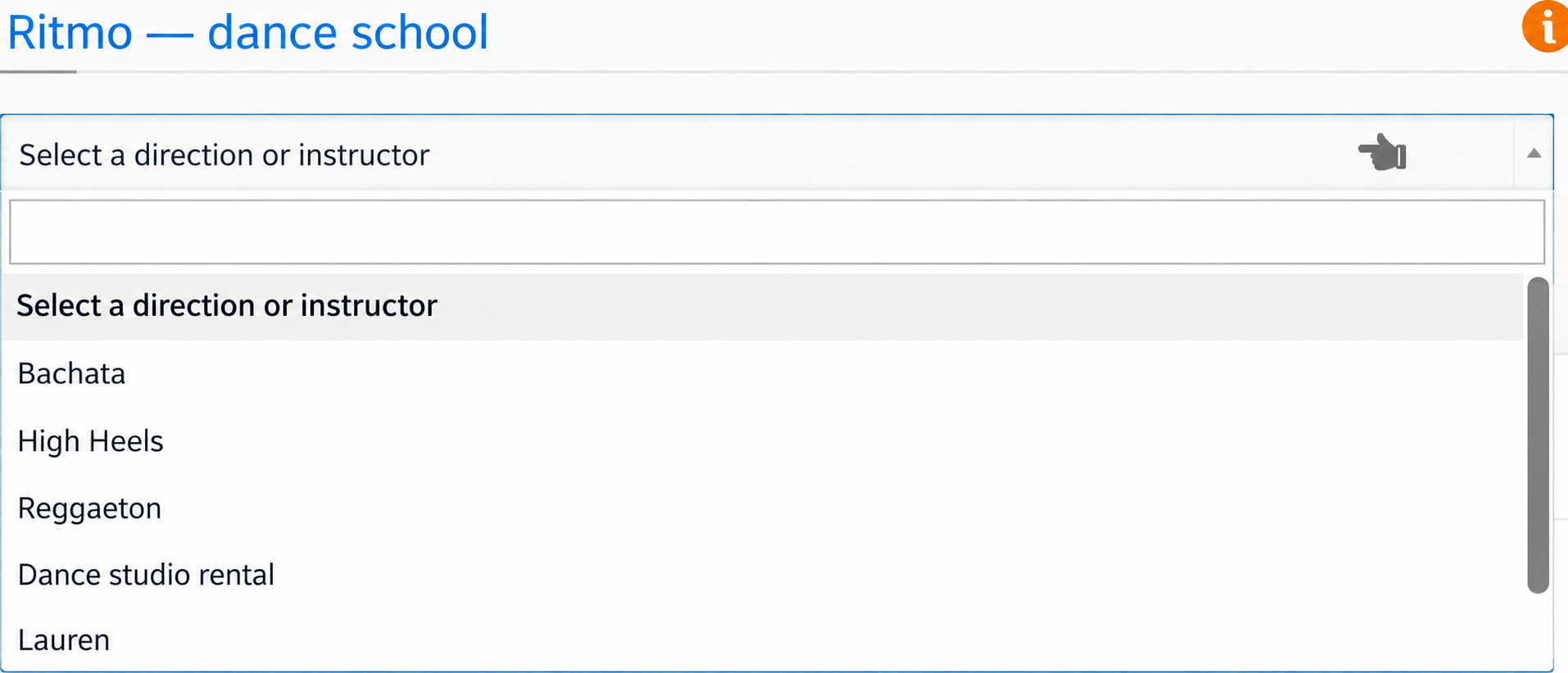
Set a helpful prompt such as Choose a dance style or teacher under Settings → Where → Calendar selector message.
2. A calendar for a style or for a teacher
For group classes, a calendar per dance style makes the timetable, prices and capacity easy to follow. Clients choose a style and then a scheduled class.
For private lessons, use one calendar per teacher with several services. Ashley's Reggaeton, Bachata, High Heels and introductory lessons share her availability. If someone books Reggaeton at 19:00, that time also becomes unavailable for Bachata and High Heels.
Creating separate calendars for each of Ashley's styles would allow overlapping bookings for the same teacher. Keep her private services together.
3. Schedule group classes
Configure the group service
For Beginner Reggaeton, enable Group booking, set capacity to 12 and show remaining places to clients.
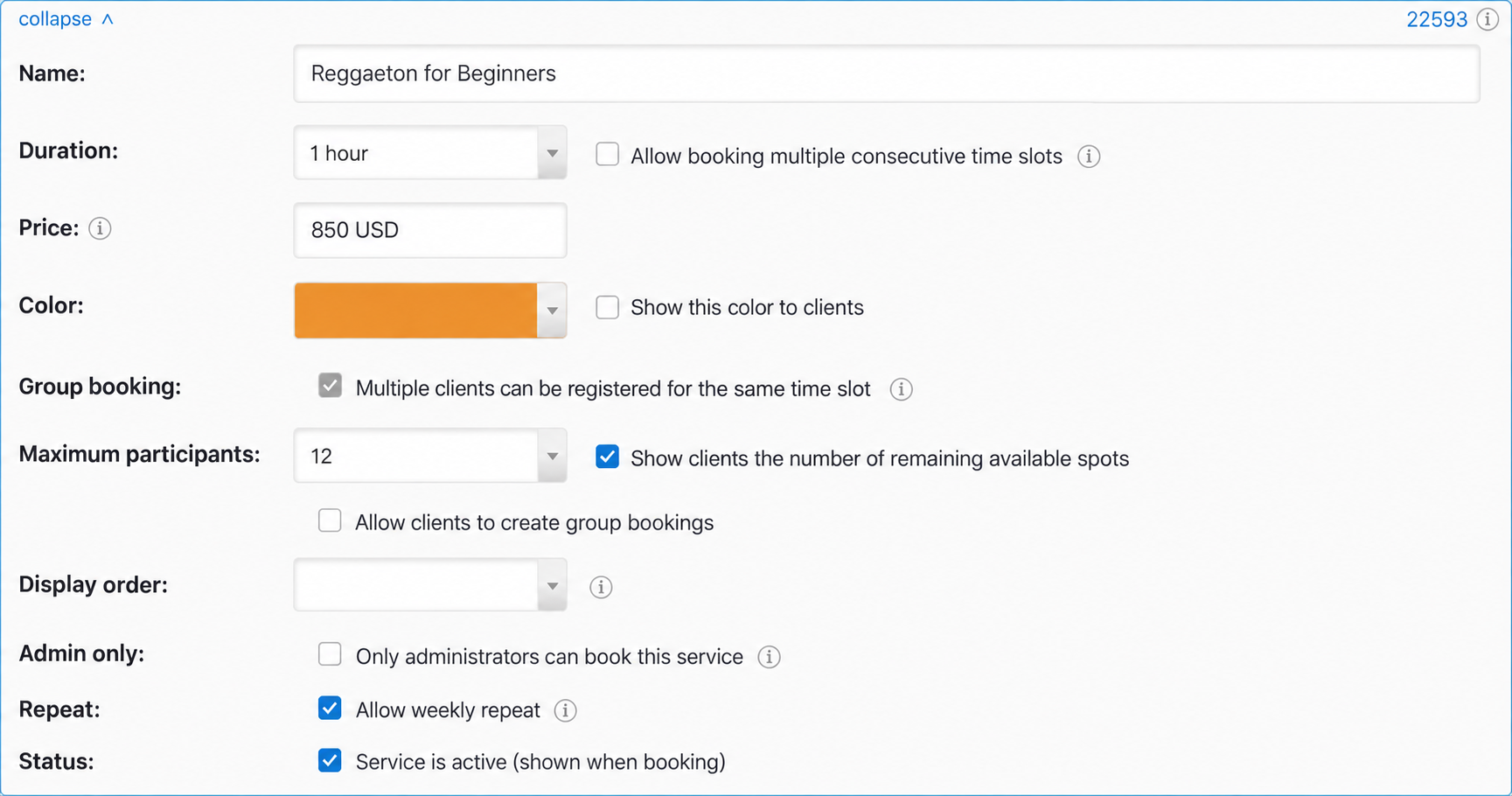
Leave Allow clients to create group sessions disabled if administrators should set the timetable. Clients will join existing classes. Choose the service type when creating it: a saved individual service cannot be converted to a group service, or vice versa.
Put classes in the calendar
Use Group mode in the administrator calendar. Enable ↻ Weekly and enter an end date to create several weeks at once.
Ritmo's four-week schedule includes Reggaeton on Tuesday at 19:00 and Saturday at 14:00, Bachata on Wednesday at 19:00 and Saturday at 15:00, and High Heels on Thursday at 17:00 and Saturday at 12:00.
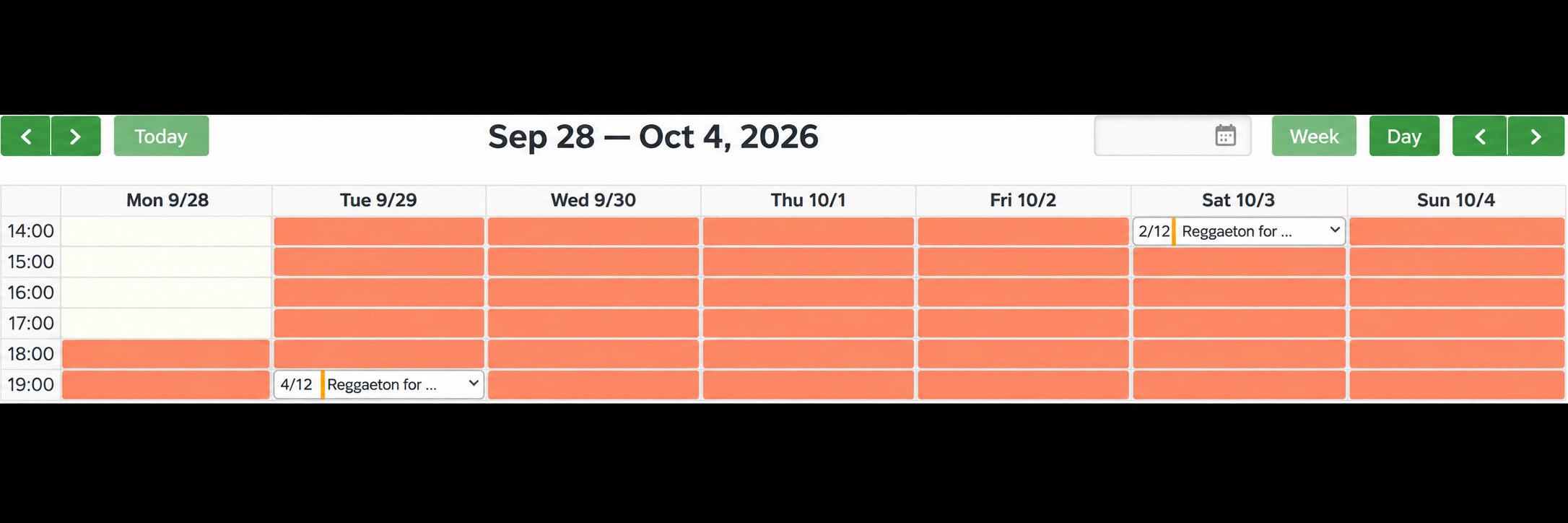
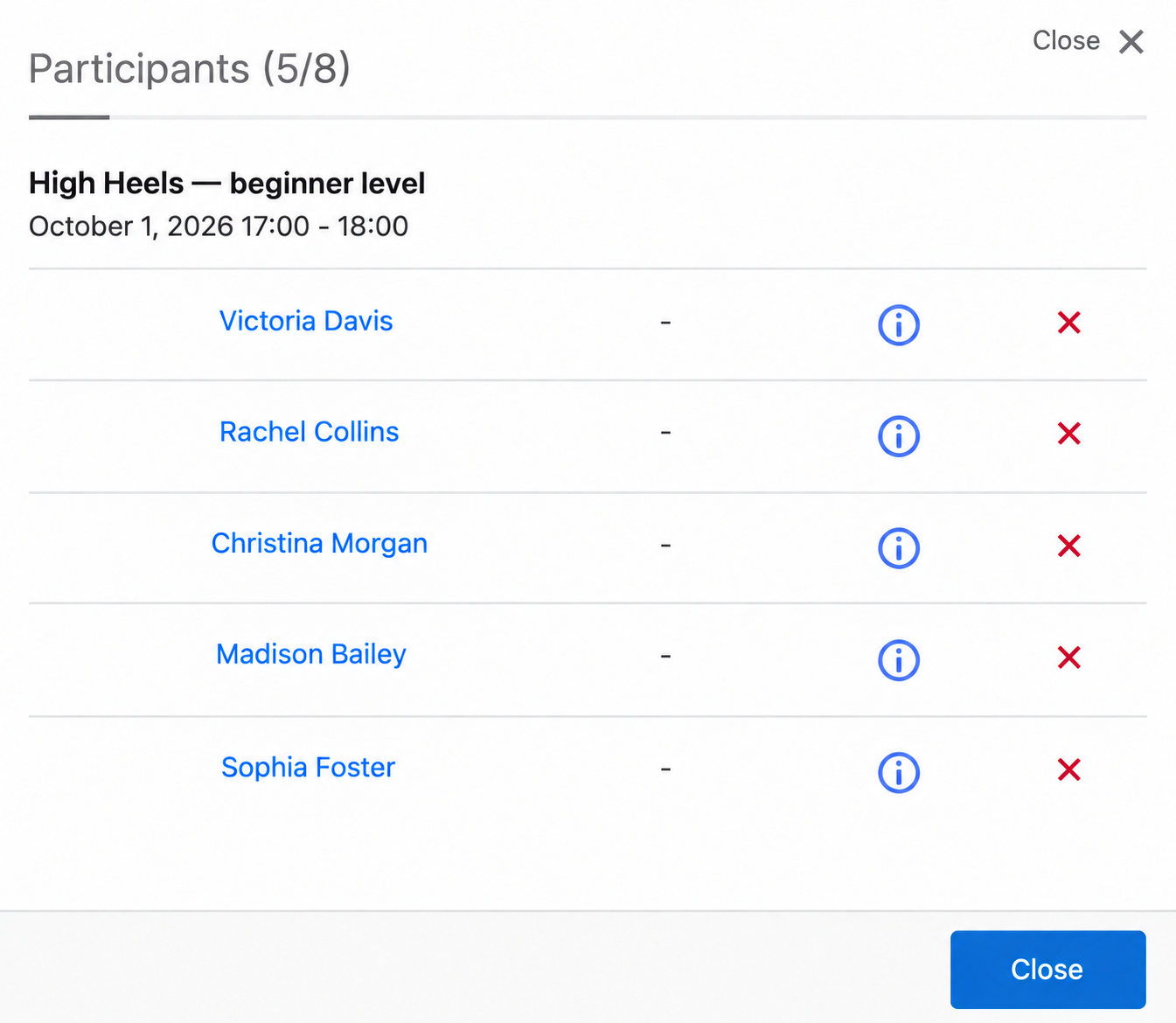
4/12 means four of 12 places are taken. Open a session and select Participants to see the list.
The client view
On a phone, upcoming classes appear as a list with remaining places.
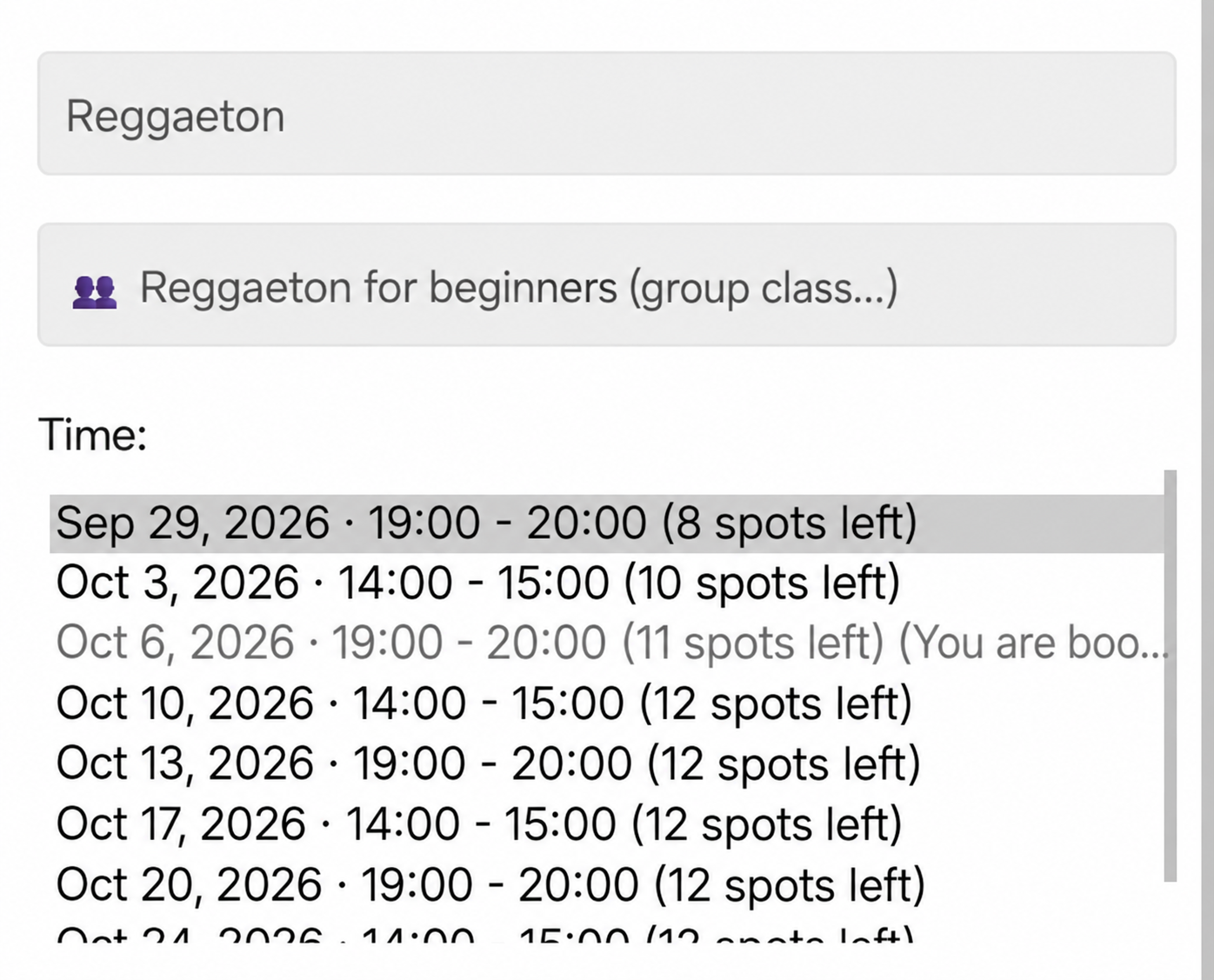
On a computer, clients see the calendar and can inspect available places by hovering over a class. A full class no longer accepts bookings.
See the group booking guide or the fitness centre example.
4. Private lessons with a teacher
Clients first choose a teacher and then a dance style.
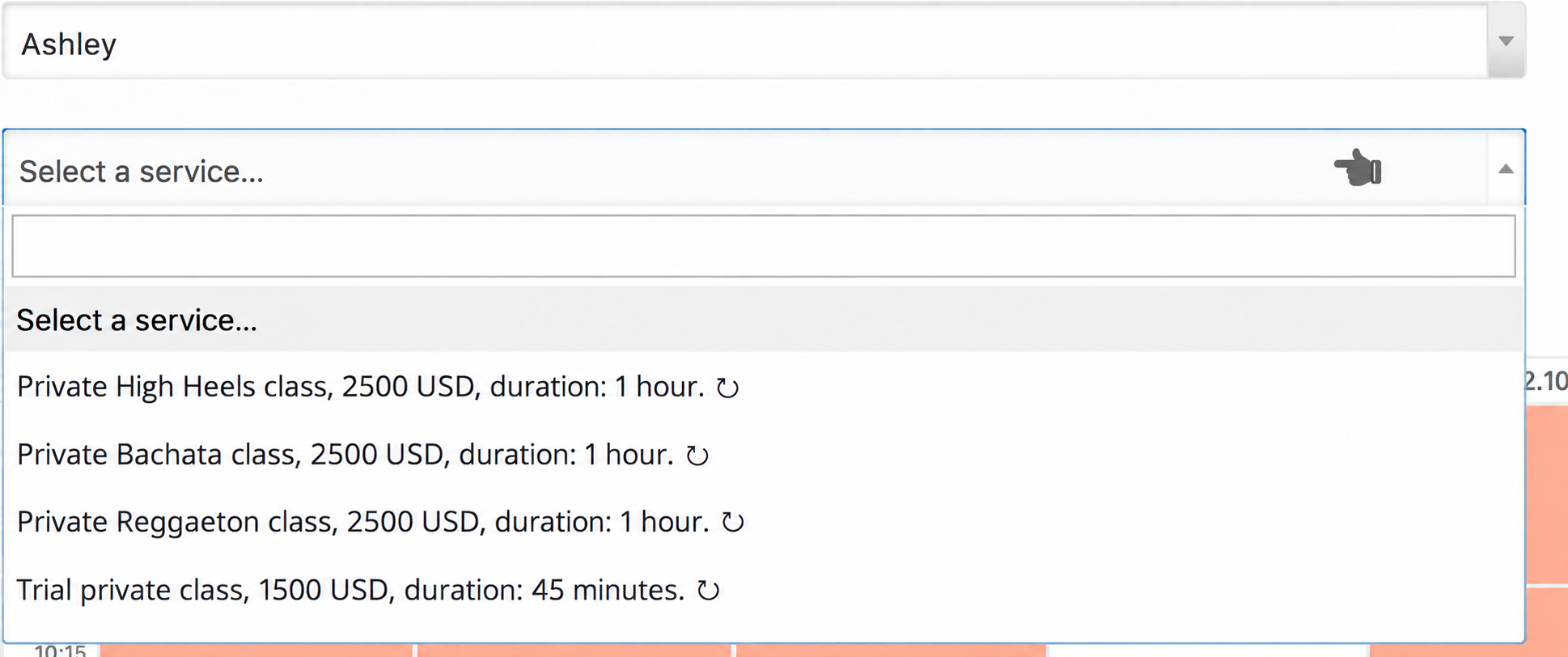
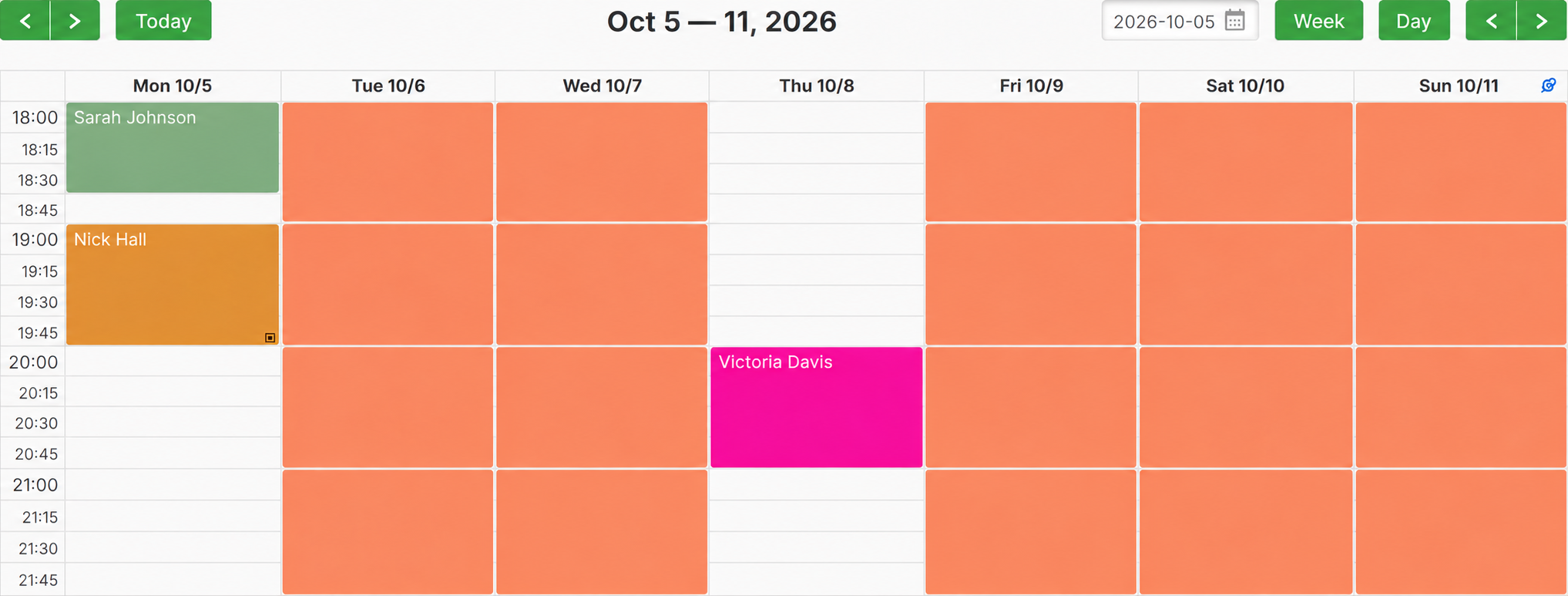
Each teacher has their own working hours. Ashley teaches private lessons on Mondays and Thursdays from 18:00 to 22:00.
Lauren works Tuesdays and Fridays at the same hours.
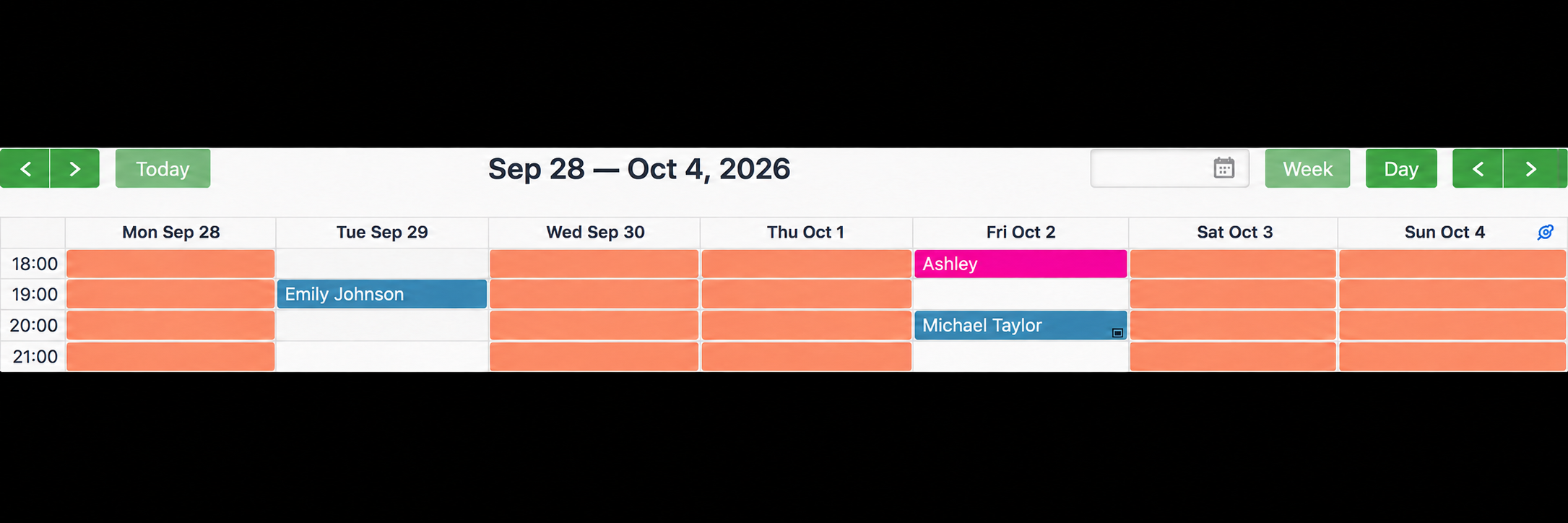
Other hours are closed to private bookings. Service colours distinguish Reggaeton in orange, Bachata in blue, High Heels in pink and introductory lessons in green.
On Monday 5 October, Ashley has an introductory lesson at 18:00 and Reggaeton at 19:00. A client selecting Bachata for that day is offered times from 20:00.
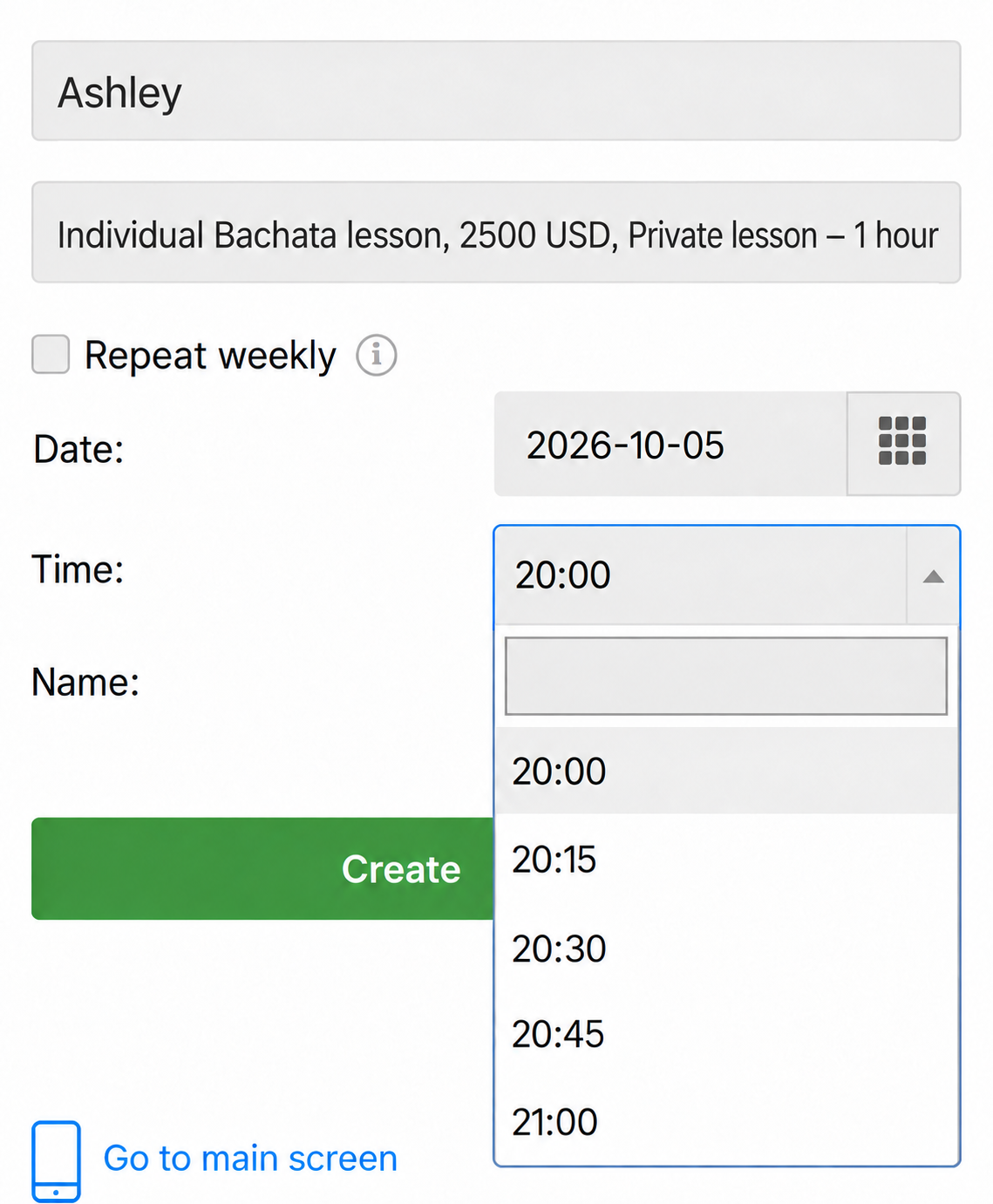
All services in Ashley's calendar share availability. Lauren's calendar is independent: booking one teacher does not block the other.
Teachers can check their day on a phone.
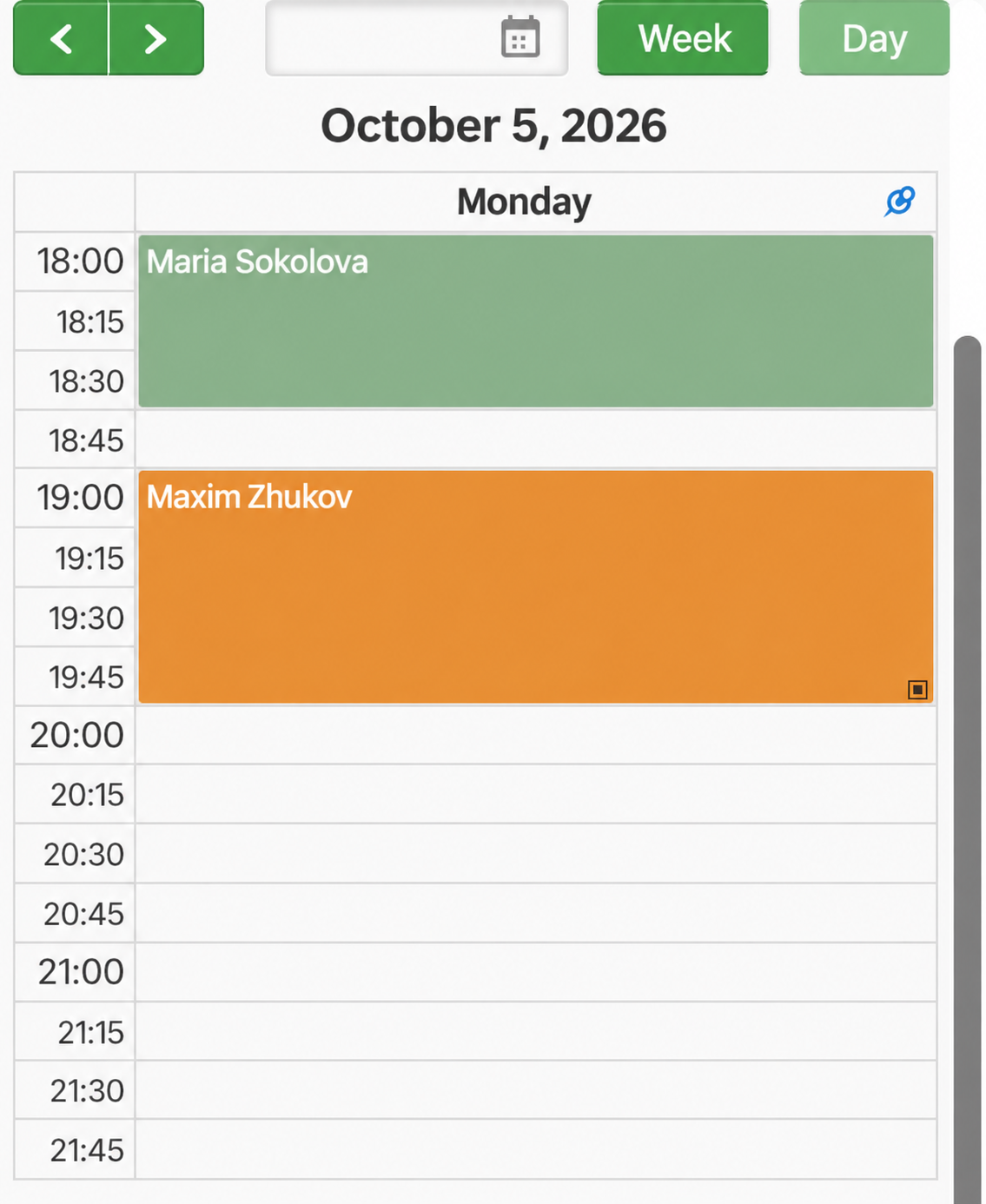
The ▣ icon on an appointment indicates that it uses a session package.
5. Offer one style in several formats
High Heels is available both as a scheduled group class and as a private lesson with either teacher. The group service has eight places; the private service books one client into the teacher's free time.
When joining the group, clients see what to bring and can answer an experience question.
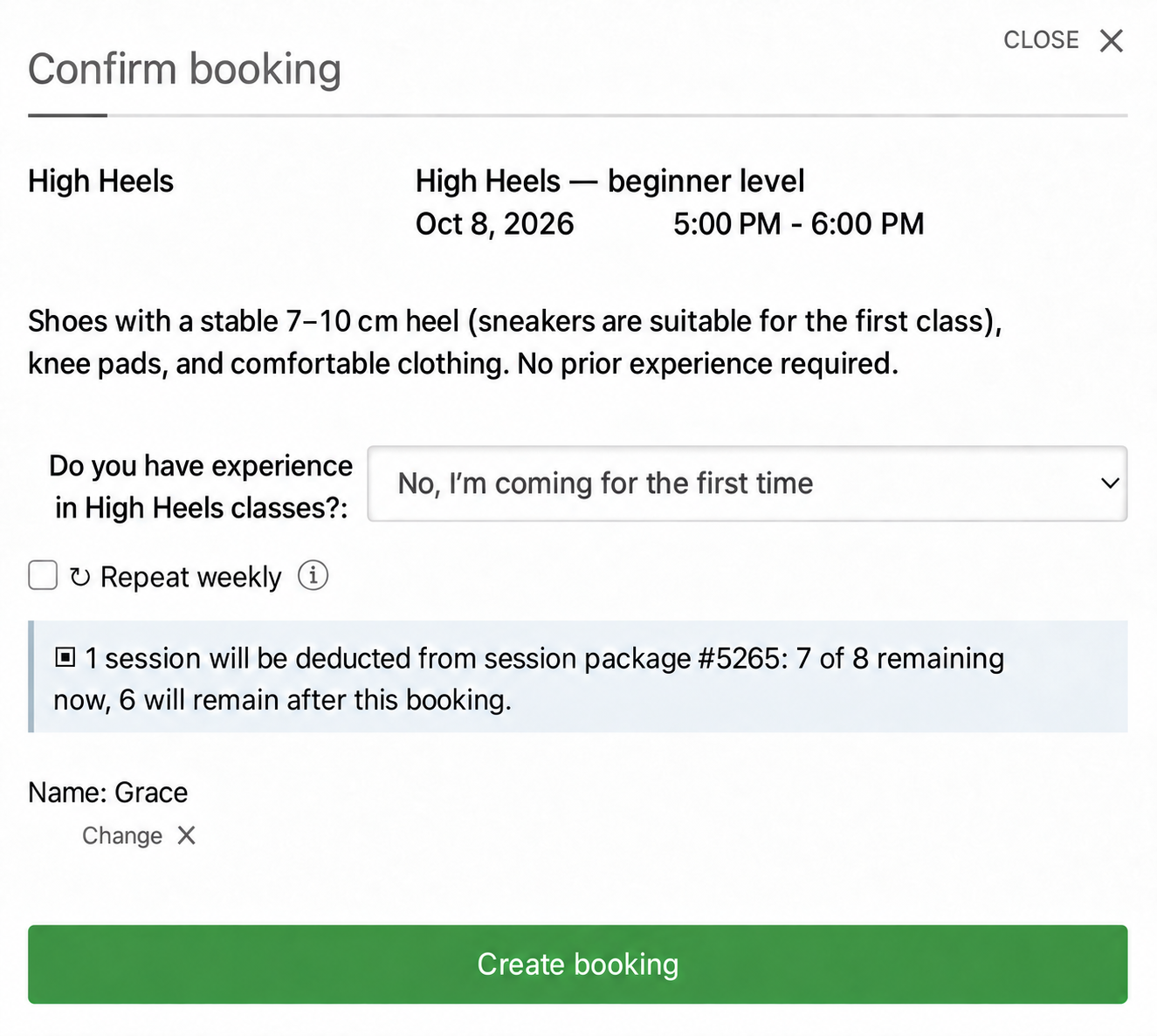
Clothing and footwear instructions come from Message to participants. Have you taken High Heels classes before? is an optional list-selection field attached to the service. Its answer is saved with the booking and helps the teacher prepare.
6. Manage session packages
Ritmo offers single visits and packages. A group drop-in costs 850–1,000 USD in this example; packages lower the per-session price.
| Package | Sessions | Sample price |
|---|---|---|
| Group START | 4 | 3,200 USD |
| Group STANDARD | 8 | 6,000 USD |
| Group MAX | 12 | 8,400 USD |
| Private lessons | 4 | 8,800 USD |
Cover several styles with one package
Create it under Packages. In Calendars and services, select services from one or several calendars.
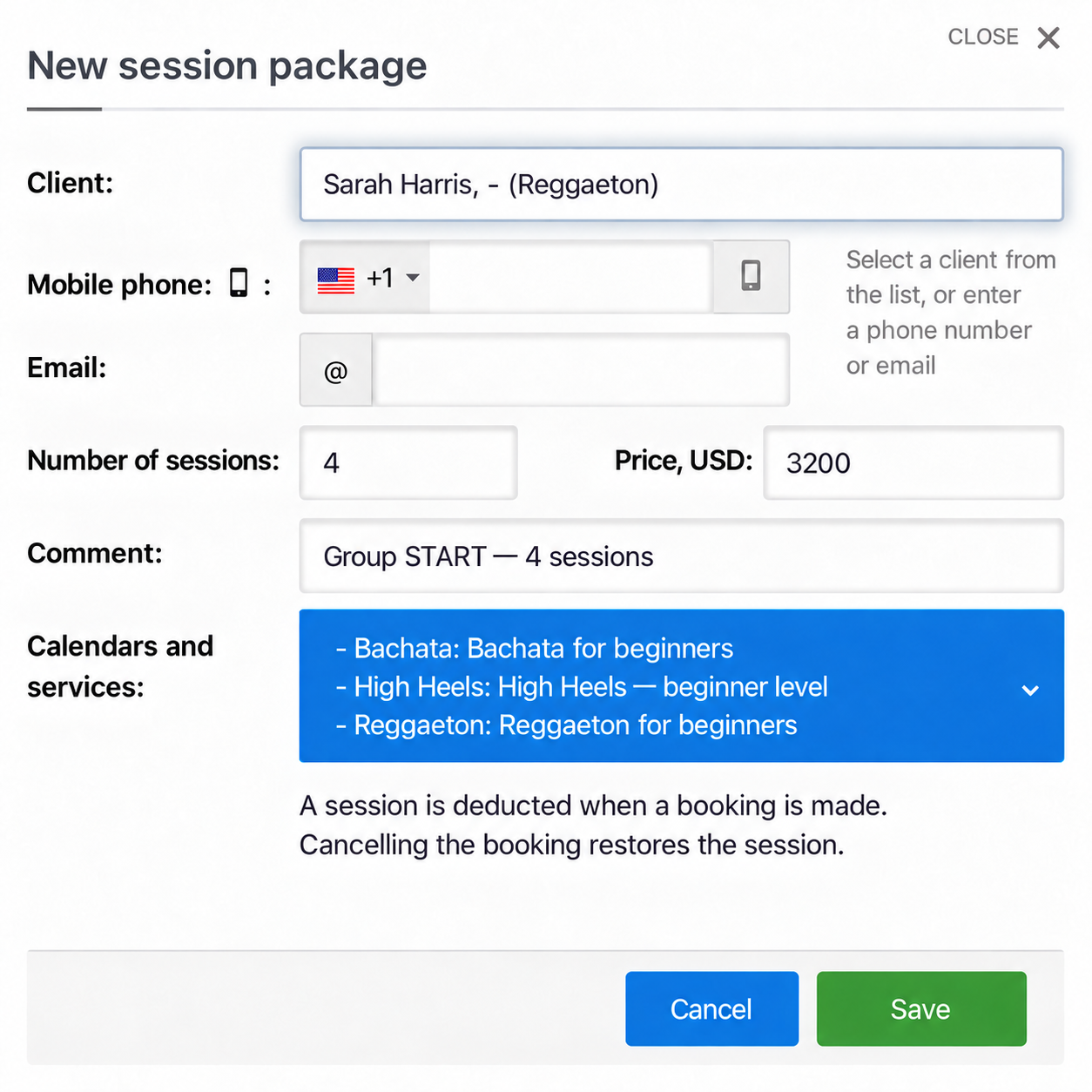
Ritmo's group packages cover Reggaeton, Bachata and High Heels, so clients can alternate styles. Private packages cover the relevant services of both teachers.
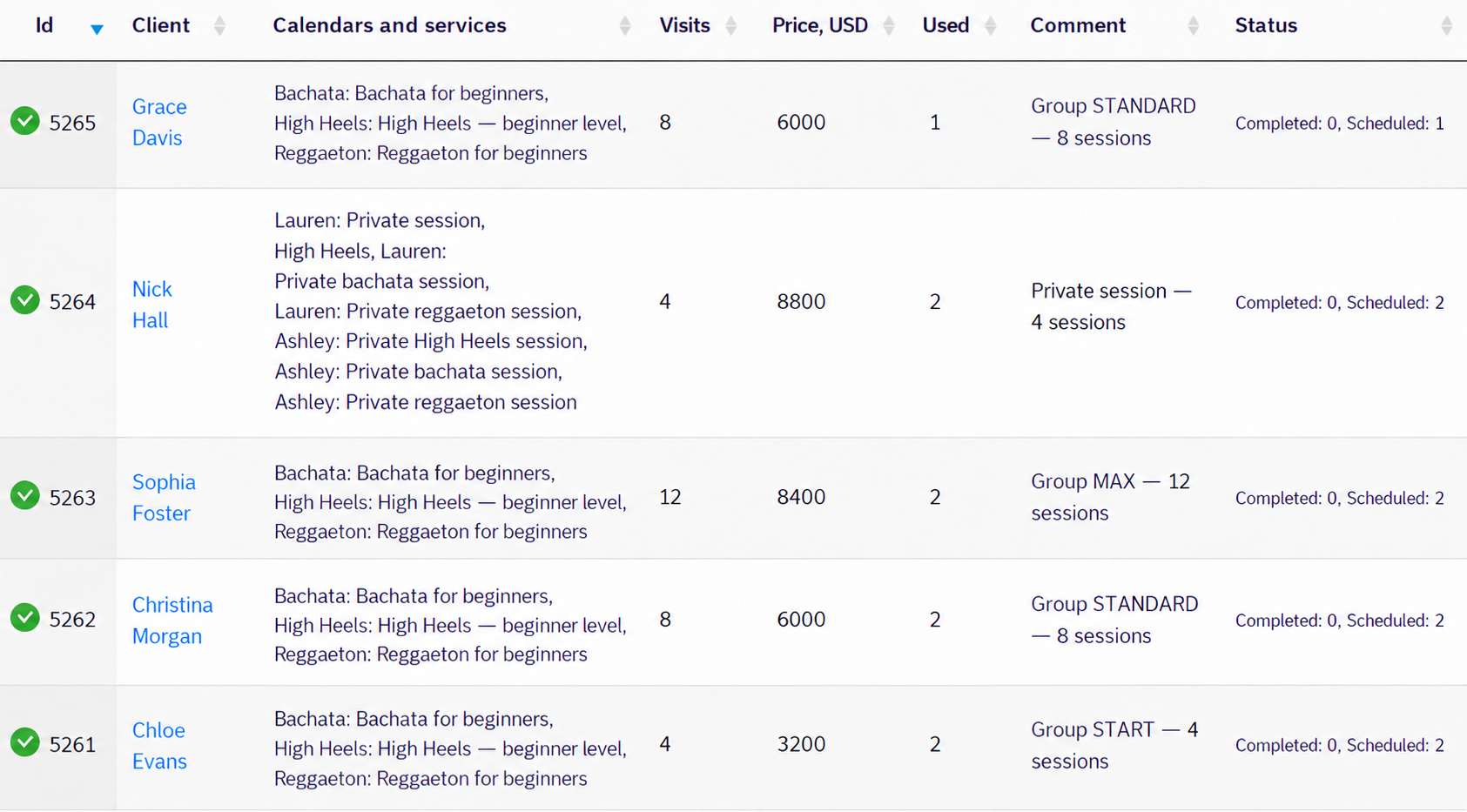
Used counts sessions already allocated to bookings. Status separates completed visits from scheduled ones.
Deduct sessions when booking
Before confirming, clients see which package will be used and the remaining balance.
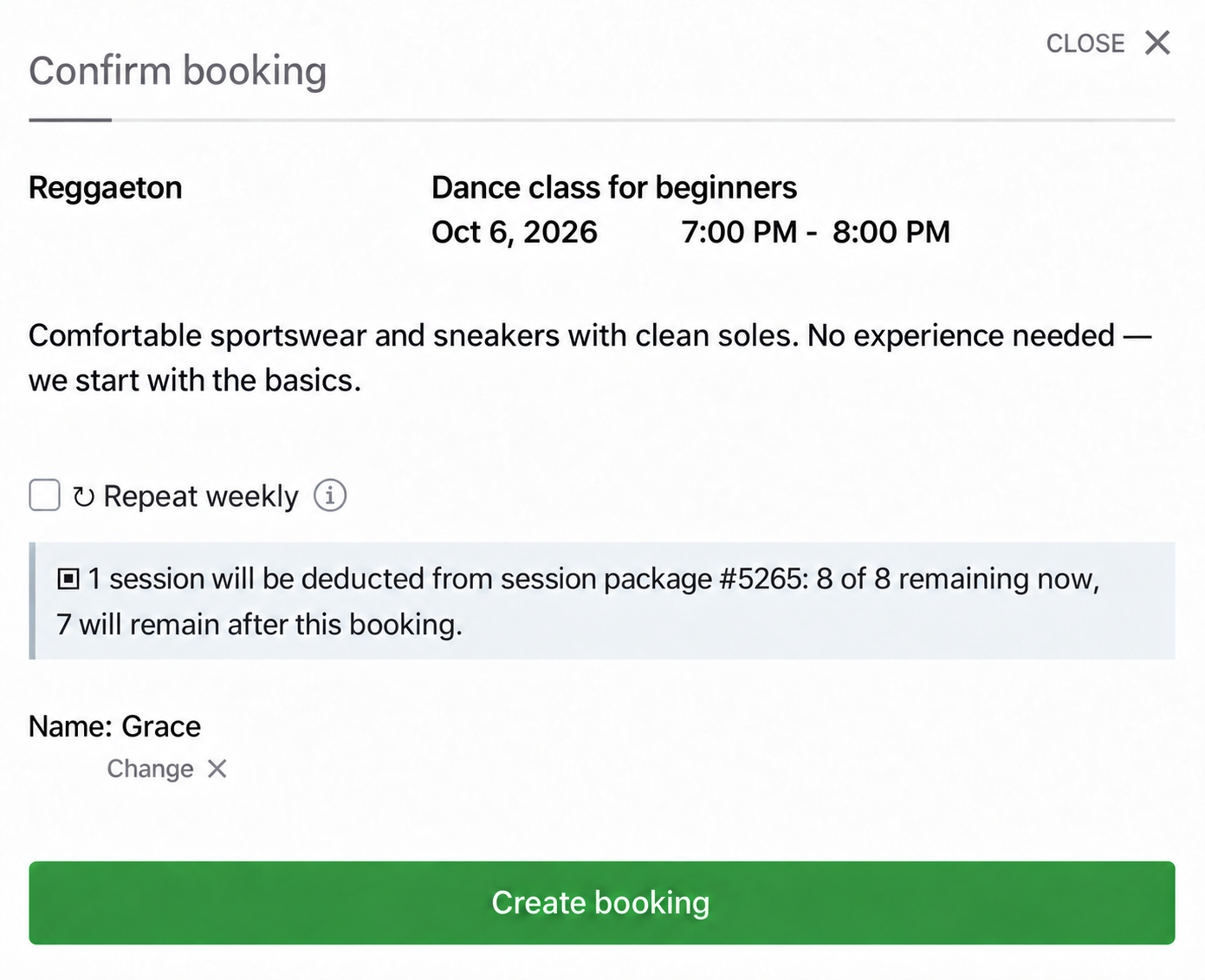
Administrators can choose whether to use the package or keep a visit outside it. Cancelling a booking restores its session.
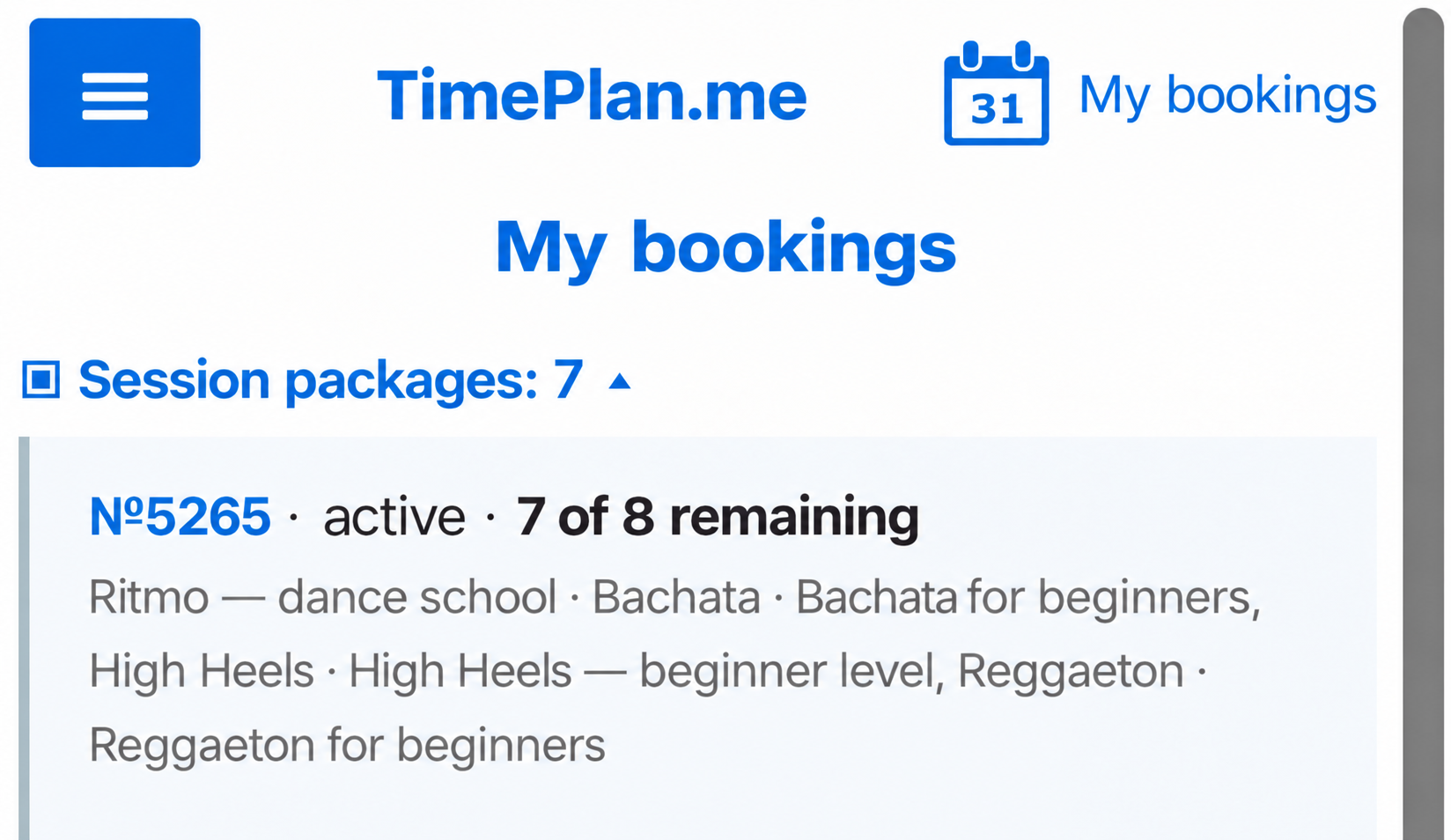
Clients see packages and balances under My bookings.
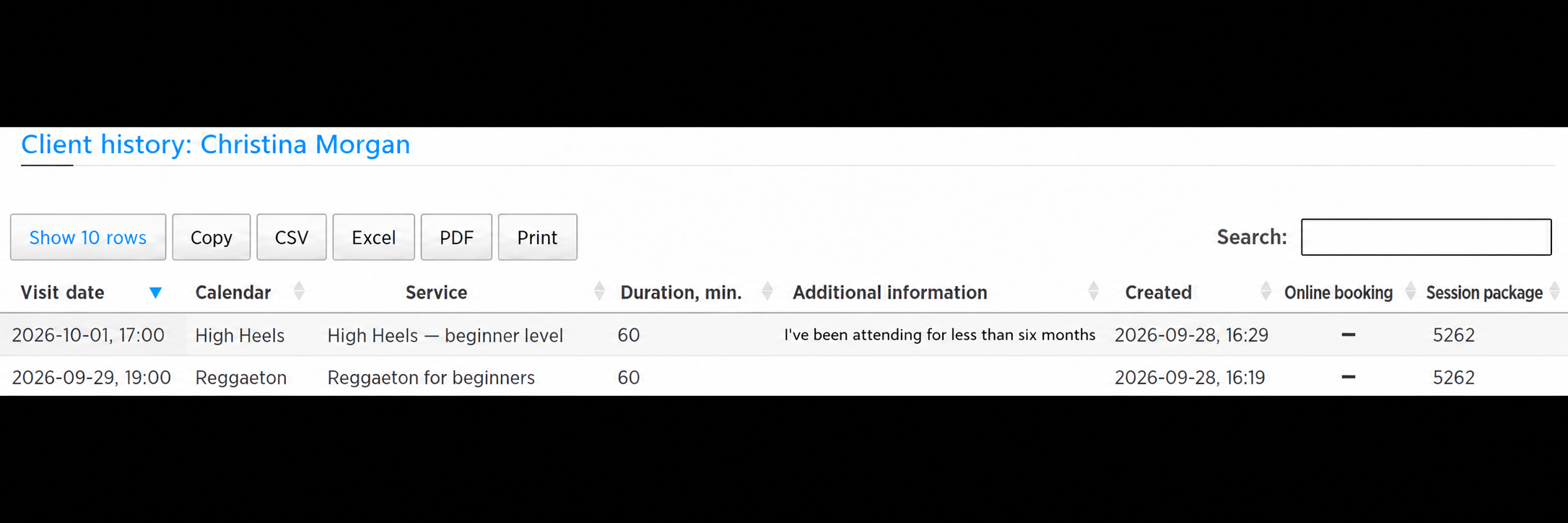
Administrators can see the package number for a visit under Customers → History.
Optionally require packages
Ritmo permits group bookings with or without a package. To require one for self-booking, enable Package-only booking under Settings → Working hours → Restrictions for the relevant calendar. You can also allow a limited number of bookings without one, such as a trial visit.
Group classes and packages are available on paid plans. See TimePlan plans and the package guide.
7. Rent out the studio
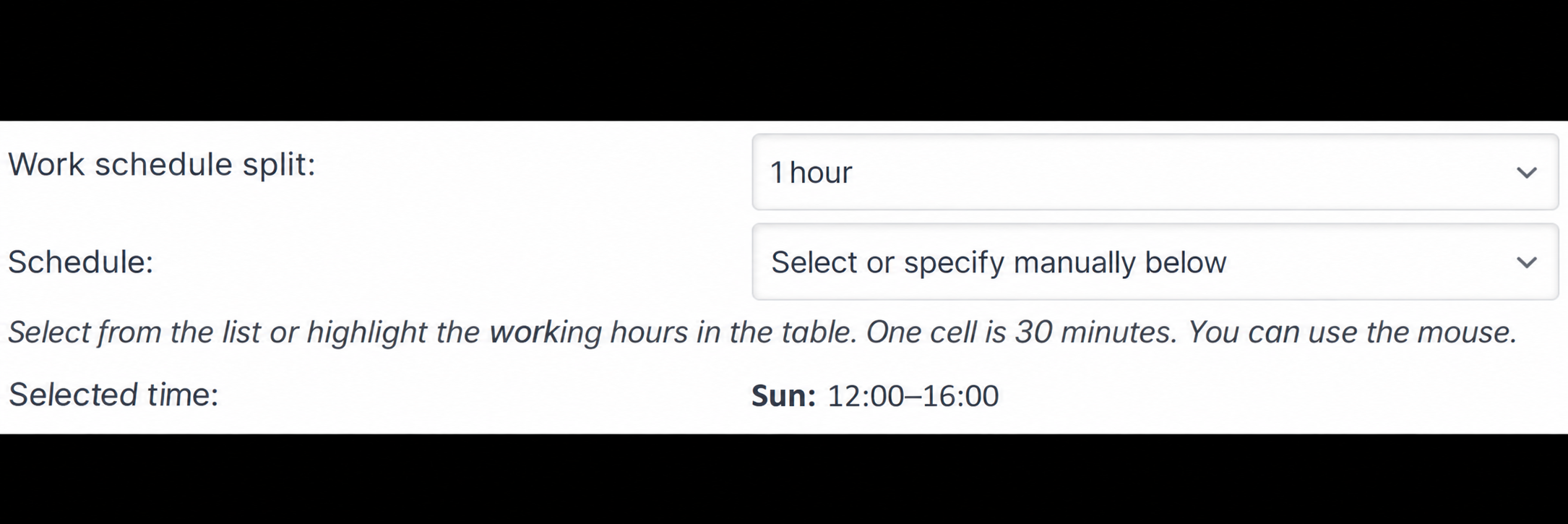
A calendar can represent a room. Ritmo's Dance studio rental calendar is open on Sundays from 12:00 to 16:00.
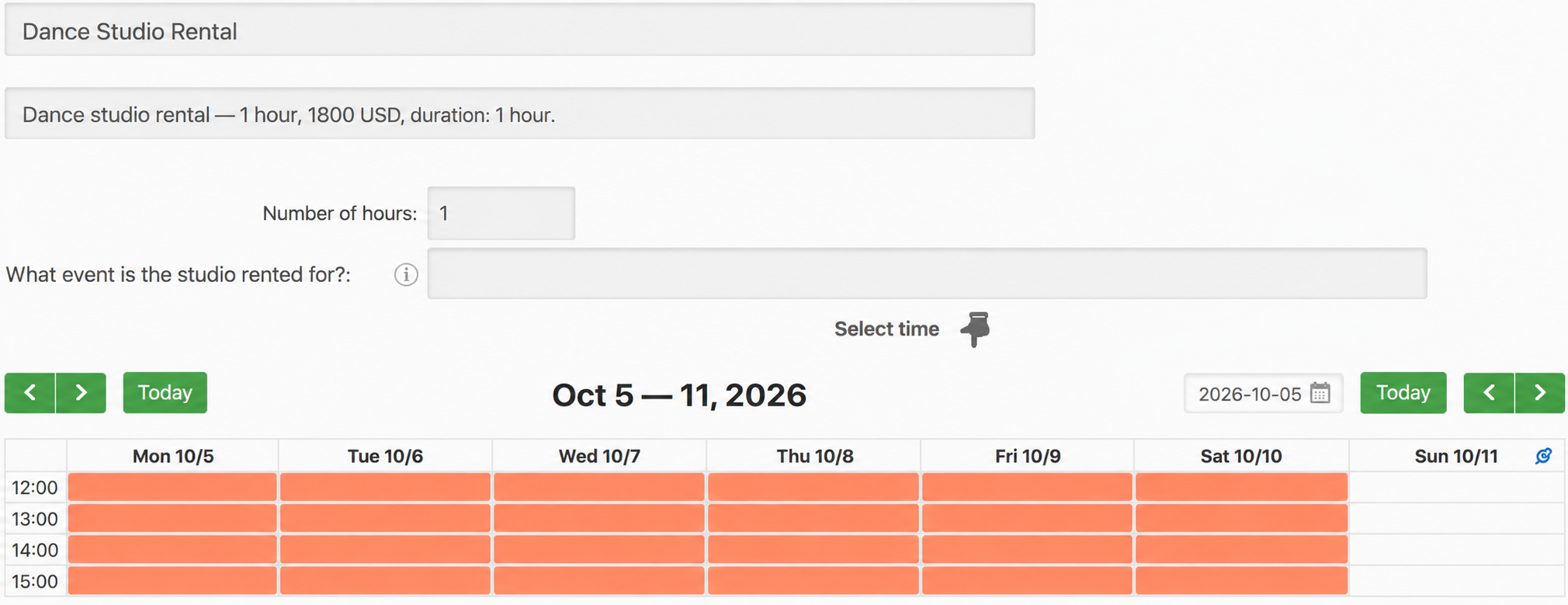
Set the Calendar interval to one hour so rental starts on the hour.
For Dance studio rental — 1 hour, enable Allow several consecutive periods. Clients can select several hours without separate two-hour and three-hour services. An optional What will you use the studio for? question helps staff prepare.
Require 48 hours' notice
The school needs time to clear equipment, check the sound system and arrange staff. Set Close booking before to 48 hours under Working hours → Restrictions.
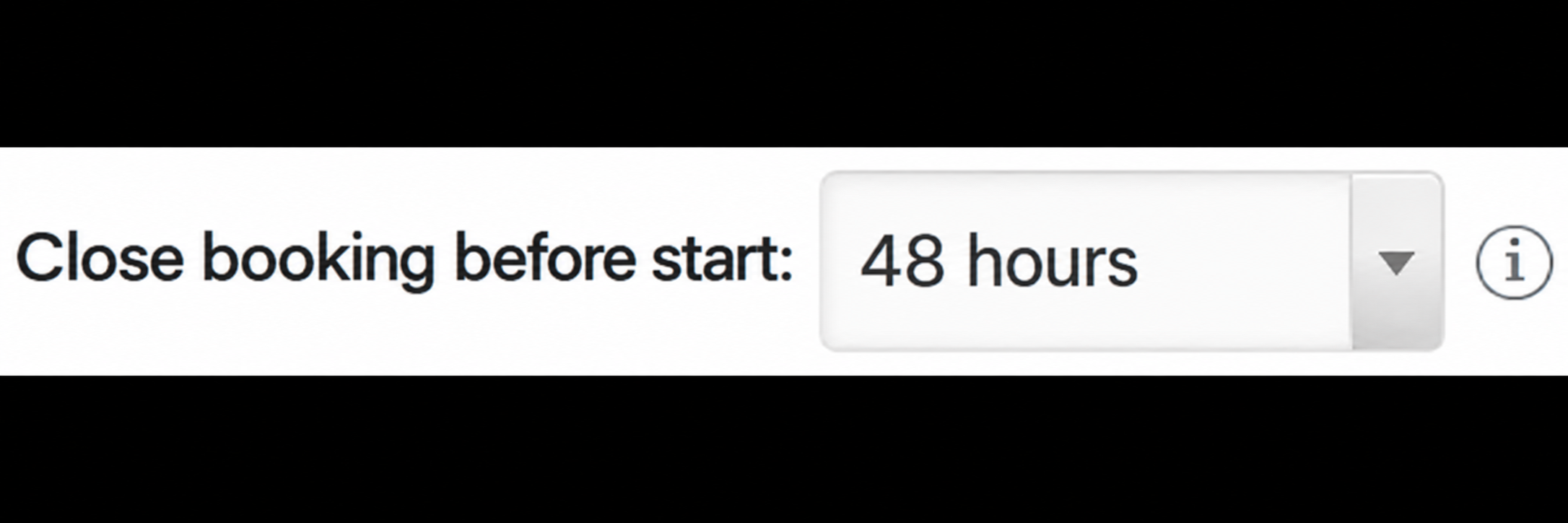
For a Sunday 12:00 rental, clients must book by Friday 12:00. After that, the slot is no longer offered for self-booking.
This differs from the booking horizon: Generate N days ahead sets the latest bookable date; Close booking before sets the minimum notice before a start.
8. Present the school to clients
Clients choose a style or teacher, service and time. Group services show remaining places; private lessons show the selected teacher's availability.
Below the calendar, the school description explains styles, prices, packages and rental rules. About us at the top links to this section.
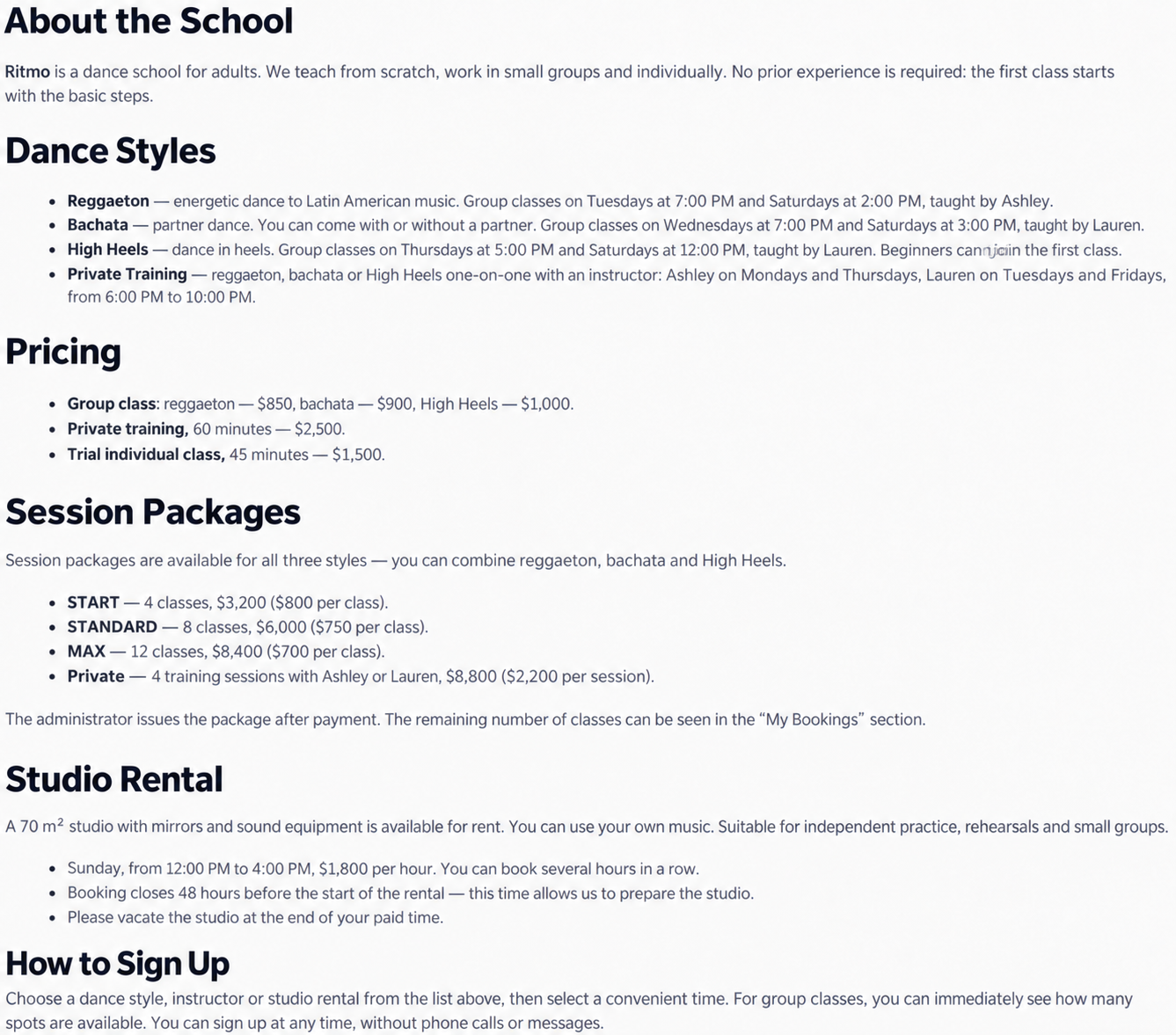
On mobile, open More information.
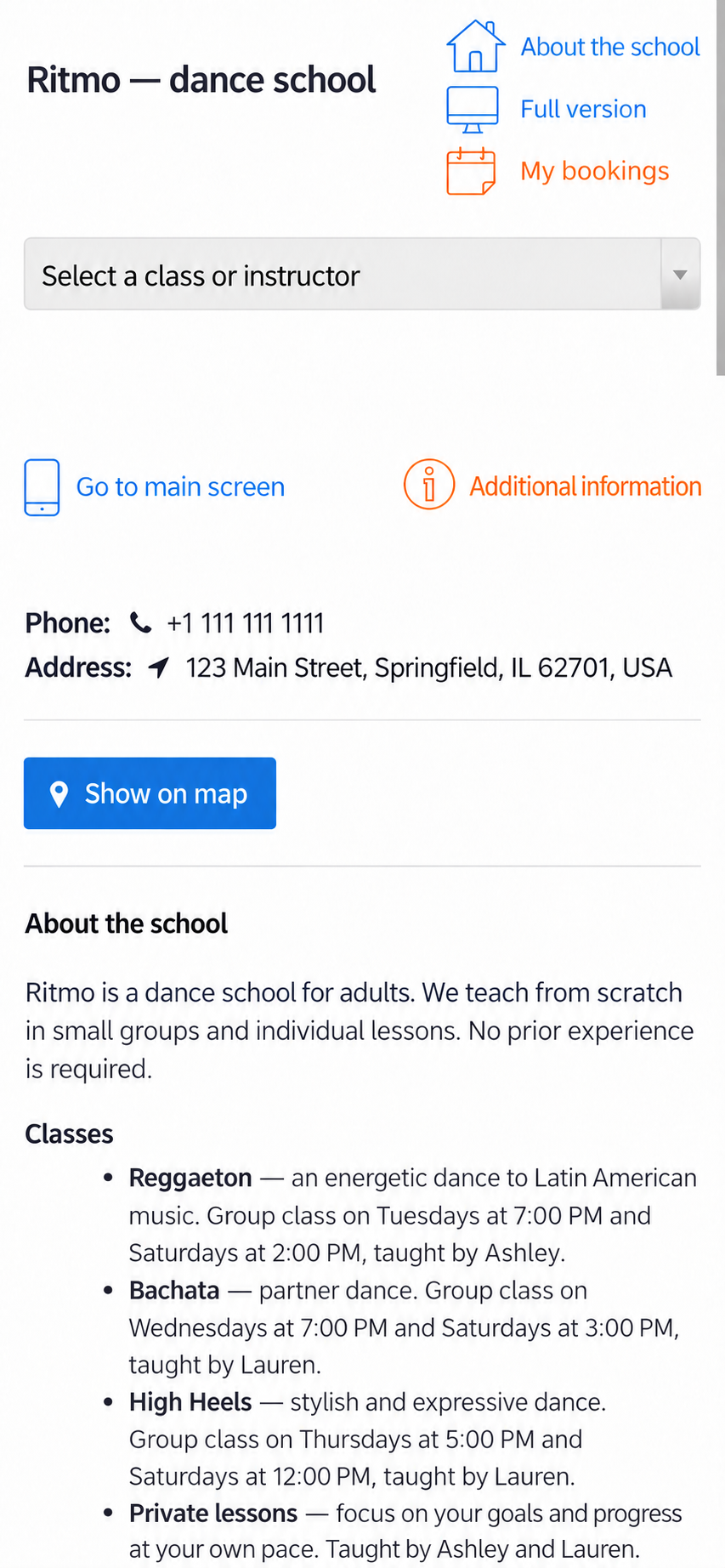
Write the description under Settings → Presentation. It is shared across the company's calendars. Under My bookings, clients review appointments and packages and cancel bookings where the rules allow. See Getting started.
9. Other useful tools
- Customer records: notes, history and additional booking questions. For individual no-shows and blocking rules, see Managing missed appointments. Group attendance does not use the same individual no-show action.
- Scheduling: weekly recurrence, working hours, specific days off, booking restrictions and time zones. A service option can add preparation time; see the scheduling guide.
- Reminders: email, SMS and free browser push. Paid plans support custom templates and SMS through an Android phone. See Client reminders.
- Team access: administrators for selected calendars, separate package permissions, visit reports and internal messages.
- Integration: website embedding, a WordPress plugin, direct session links, external calendar synchronisation on paid plans and CSS customisation.
Setup checklist
- Create calendars for group styles, teachers and studio rental.
- Configure group services, capacity and remaining-place display.
- Schedule the classes, using weekly recurrence for regular groups.
- Add private services and working hours to each teacher's calendar.
- Set one-hour rental intervals and a 48-hour booking cutoff.
- Issue packages covering the intended services.
- Complete the shared school description with prices and practical rules.
Details to check before opening booking
Calendars do not automatically share availability. If Ashley teaches a group in one calendar, her separate private calendar will not recognise her as the same resource. Close private booking during her group classes. Ritmo separates group and private teaching times. Apply the same care if the same room is represented in several calendars.
Choose the group service type at creation. It cannot be switched later.
Packages cover only the selected services. Include every intended style. There is no package expiry-date setting in this workflow; if a package should last one month, track the issue date and comment manually.
The company description is shared. Presentation text appears on every calendar's booking page; there is no separate calendar description here.
You can combine group timetables, private teaching, packages and hourly room rental in one account. Create a TimePlan account to start free, or compare plans.